Ultimate Pad Config
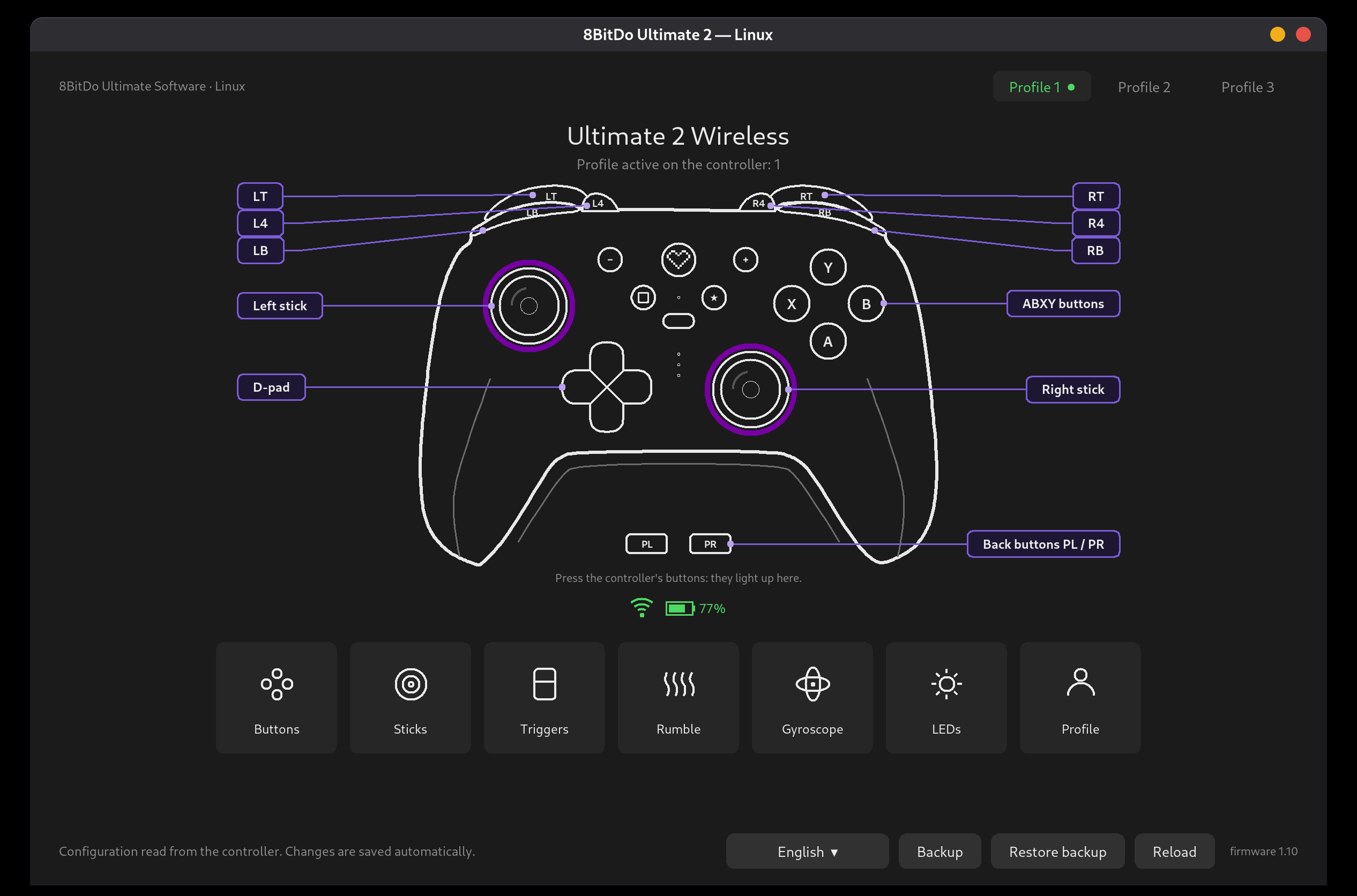
For the 8BitDo Ultimate 2 Wireless controller: profiles, remapping, sticks, triggers, gyro, LEDs.
flatpak install --user miguelsanz io.github.miguelsanzbr._8bitdo-ultimate2-linuxOpen-source Linux configurators for gamepads and mice, signed and kept up to date through Flatpak.
flatpak remote-add --user --if-not-exists miguelsanz https://miguelsanzbr.github.io/flatpak/miguelsanz.flatpakrepoThe apps run on the Freedesktop runtime from Flathub. Most distributions already have Flathub set up; if yours does not, add it first:
flatpak remote-add --user --if-not-exists flathub https://dl.flathub.org/repo/flathub.flatpakrepoUpdates arrive with flatpak update or your software center.
For the 8BitDo Ultimate 2 Wireless controller: profiles, remapping, sticks, triggers, gyro, LEDs.
flatpak install --user miguelsanz io.github.miguelsanzbr._8bitdo-ultimate2-linux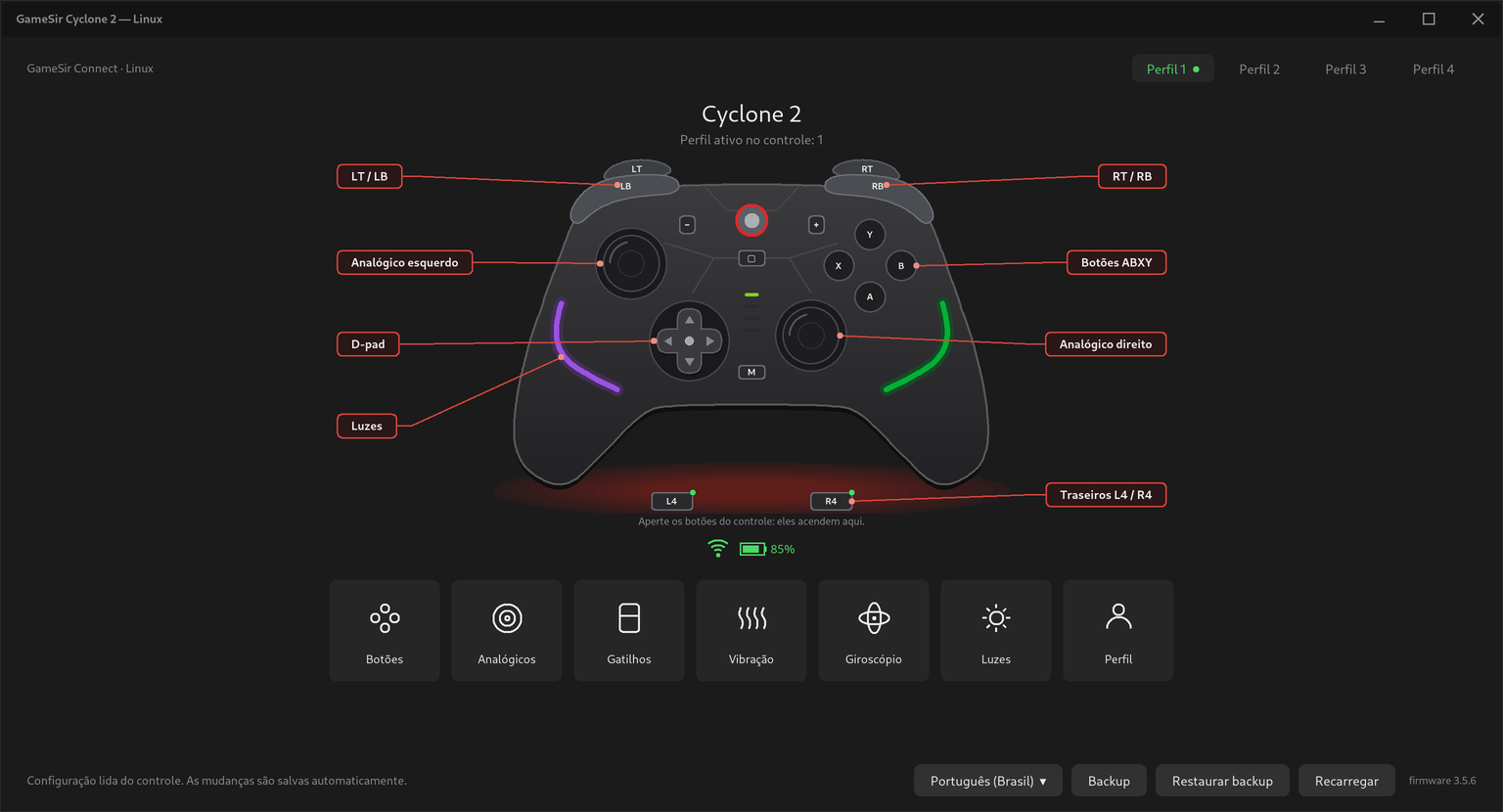
For the GameSir Cyclone 2 controller: profiles, remapping, dead zones, hair trigger, gyro, lighting.
flatpak install --user miguelsanz io.github.miguelsanzbr.gamesir-cyclone2-linux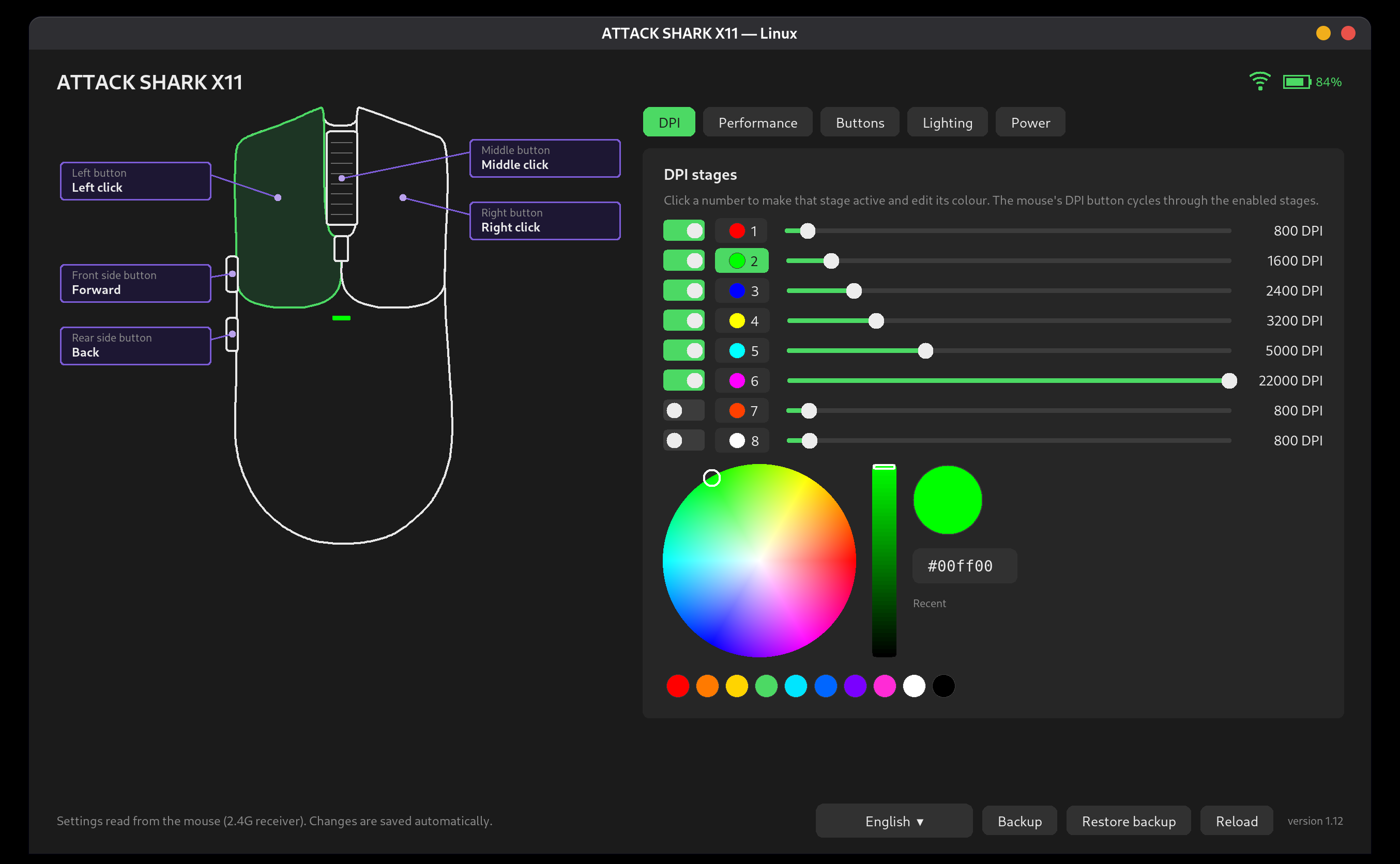
For the ATTACK SHARK X11 wireless mouse: DPI stages, polling rate, buttons, lighting, sleep timers.
flatpak install --user miguelsanz io.github.miguelsanzbr.attackshark-x11-linuxThe apps talk to the device through its /dev/hidraw node. A Flatpak cannot install the udev rule
that grants this, so install it on the host once, from the app's repository (or with install-udev.sh
from the AppImage zip of its release), then replug the device. Each README has the exact command.
Adicione o repositório uma vez com o primeiro comando, instale o app do seu controle ou mouse e instale a regra
udev no sistema (o comando está no README de cada projeto). As atualizações chegam pelo flatpak update
ou pela loja de apps do seu sistema.